
TiviMate IPTV Player — The Premier Android & Fire TV Player
Learn how to set up, optimize, and stream our IPTV Testline using top-tier player applications on smart TVs, streaming sticks, mobile devices, and computers.
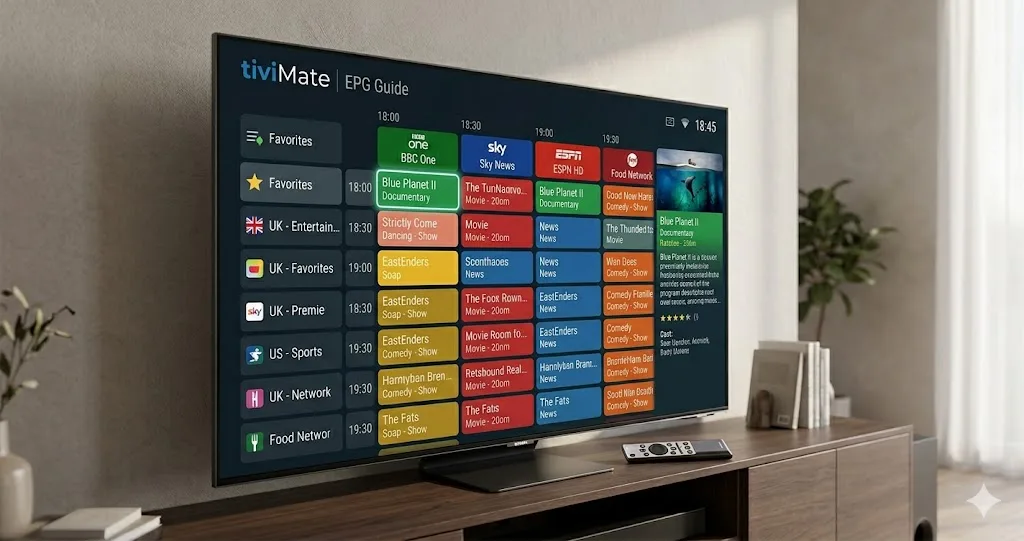
The Crown Jewel of Android TV & Firestick Streaming
Ask any experienced IPTV enthusiast which application offers the slickest, most responsive television experience, and the answer is almost universally TiviMate. Developed exclusively for Android TV and Amazon Fire TV devices, TiviMate provides a refined, broadcast-quality interface that outshines traditional cable and satellite receivers.
When paired with our high-speed IPTV Testline, TiviMate delivers instantaneous zapping, fluid 60fps menu navigation, and comprehensive electronic TV guide schedules.
Standout Features in TiviMate Premium
- Customizable EPG Grid: Resize guide rows, adjust font sizes, hide channel categories you don't watch, and highlight your favorite German sports networks.
- Seamless Catch-up Integration: Browse past broadcast schedules and press play directly from the EPG timeline to replay shows up to 7 days back.
- Multi-View Quad Screen: Watch up to 4 football matches or live events simultaneously on a single screen without performance lag.
- Scheduled Cloud & Local Recording: Record upcoming live broadcasts directly to local USB storage or networked storage (NAS).
Quick Configuration via Xtream Codes
Setting up TiviMate is simple: open the app, navigate to Settings > Playlists > Add Playlist, select 'Xtream Codes', enter the server address and credentials provided by our WhatsApp team, and save. Your entire channel bouquet loads in seconds.
Need Help Installing Your IPTV App?
Our 24/7 technical team can guide you step-by-step through installing and configuring this app on your screen via WhatsApp.
Contact Setup Team on WhatsApp 🟢