
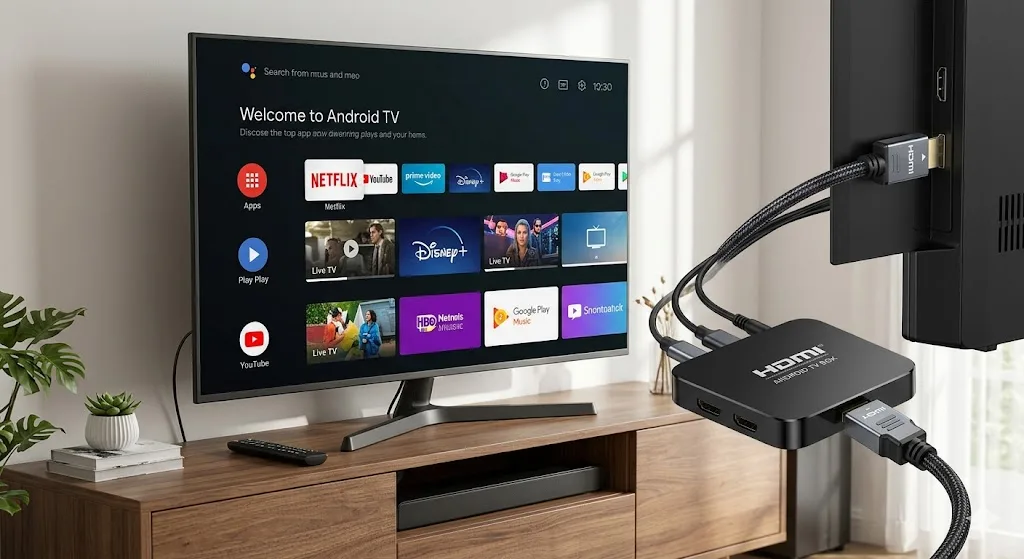
While affordable streaming sticks offer an accessible entry point to digital television, power users and home cinema enthusiasts often demand superior hardware performance. Dedicated Android streaming boxes and specialized IPTV receivers deliver faster processors, expanded RAM, gigabit Ethernet connectivity, and dedicated remote controls tailored specifically for channel navigation. Pairing your IPTV Testline with the right hardware makes the difference between standard streaming and an uncompromising broadcast experience.
In this comprehensive hardware review, we evaluate the best Android TV boxes and dedicated receivers available in 2026. We examine their processing chipsets, memory capacities, audio/video codec compatibility, and operating software to help you determine which device matches your home entertainment requirements.
Dedicated IPTV Receiver vs. General Android TV Box
Before selecting a specific model, it is essential to understand the architectural distinction between a general-purpose Android TV box and a dedicated IPTV Receiver:
General Android TV Boxes: Devices like the Nvidia Shield TV Pro or Nokia Streaming Box 8000 run official Google Android TV OS. They feature official Netflix, Prime Video, and Disney+ 4K DRM certifications, allowing you to run commercial streaming apps alongside IPTV players like TiviMate. They excel at multi-purpose entertainment, gaming, and 4K media playback.
Dedicated IPTV Hardware: Devices like the Formuler Z11 Pro Max or MAG 524 run specialized proprietary middleware (such as Formuler's MyTVOnline 3 or Infomir's Linux stalker middleware). These boxes boot directly into a full-screen television guide the instant you power them on, mimicking a high-end satellite receiver with instantaneous channel switching and hardware-level PVR recording.
Top Contender 1: Formuler Z11 Pro Max (Best Dedicated Receiver)
The Formuler Z11 Pro Max stands at the pinnacle of specialized IPTV hardware. Engineered specifically for seamless television viewing, its crowning achievement is the exclusive MyTVOnline 3 (MYTV3) client application.
Powered by a Realtek RTD1319C quad-core processor, 4 GB of DDR4 RAM, and 32 GB of onboard storage, the Z11 Pro Max handles 4K HDR10+ and AV1 streams effortlessly. It features Gigabit Ethernet for rock-solid network stability, Wi-Fi 6 wireless connectivity, and an ergonomic GTV-BT1 Bluetooth voice remote designed with physical numeric buttons, channel rockers, and dedicated TV guide shortcuts. If your primary goal is an uncompromising television experience that replaces cable completely, Formuler is unmatched.
Top Contender 2: Nvidia Shield TV Pro (Best All-Round Powerhouse)
Although released several years ago, the Nvidia Shield TV Pro remains the undisputed king of general Android TV streaming hardware. Driven by the Tegra X1+ processor and 3 GB of RAM, it offers unparalleled processing muscle and longevity.
Its standout feature for television streaming is AI-Enhanced 4K Upscaling. The Shield analyzes standard definition and 720p broadcast feeds in real-time using neural network models, sharpening edges and reducing noise to make older television broadcasts look stunning on modern 65-inch and 75-inch 4K panels. Combined with native Dolby Atmos, Dolby Vision, Gigabit LAN, and two full-sized USB 3.0 ports for external recording drives, the Shield Pro is an unbeatable investment for home theater enthusiasts.
Top Contender 3: MAG 524w3 (Best Linux Stalker Box)
For viewers who prefer pure simplicity without Android application stores, Infomir's MAG series has been the benchmark for commercial IPTV networks for over a decade.
The MAG 524w3 runs a closed, highly stable Linux operating system powered by an Amlogic S905X2 chipset. It boots straight into your service portal via MAC address authentication, eliminating logins, app updates, and configuration menus. While it cannot run third-party apps like YouTube or Netflix, its stripped-back operating system delivers remarkable stability and longevity with virtually zero maintenance required.
Comprehensive Hardware Comparison Table
| Model | Operating System | RAM / Storage | Ethernet Port | Best For |
|---|---|---|---|---|
| Formuler Z11 Pro Max | Android 11 + MYTV3 | 4 GB / 32 GB | Gigabit (1000 Mbps) | Ultimate IPTV experience |
| Nvidia Shield Pro | Android TV OS | 3 GB / 16 GB | Gigabit (1000 Mbps) | AI Upscaling & Gaming |
| MAG 524w3 | Linux 4.9 | 1 GB / 4 GB | 100 Mbps Fast Ethernet | Plug-and-play simplicity |
| Fire TV Stick 4K Max | Fire OS (Android) | 2 GB / 16 GB | Via OTG adapter | Budget & Portability |
Why Gigabit Ethernet Ports Beat Wi-Fi for 4K Playback
While Wi-Fi technology has progressed with modern Wi-Fi 6 routers, wireless signals remain vulnerable to environmental interference, signal attenuation through walls, and contention from smartphones, laptops, and smart home appliances.
A dedicated IPTV box equipped with a Gigabit Ethernet (1000 Mbps) port delivers decisive technical advantages:
- Zero Packet Loss: High-bitrate 4K Ultra HD streams transmit massive continuous data streams exceeding 25 Mbps. A wired CAT6 Ethernet cable guarantees that every single video packet arrives intact without frame drops.
- Minimal Network Jitter: Wireless networks introduce variable latency (jitter) as data packets wait for clear radio frequencies. Ethernet delivers constant, sub-millisecond local network response times, drastically reducing channel zapping latency.
- Immunity to Peak Household Traffic: Even when other family members are downloading large files, participating in video calls, or playing online games, a wired connection with Quality of Service (QoS) prioritization ensures your live sports broadcast continues playing without interruption.
Power Supply Stability & Thermal Management
High-performance streaming boxes draw continuous power during sustained 4K HDR playback. Unlike compact dongles powered solely by television USB ports—which frequently suffer from thermal throttling and random restarts due to insufficient voltage—dedicated receivers utilize dedicated 12V DC power adapters.
Furthermore, devices like the Formuler Z11 and Nvidia Shield incorporate passive or active cooling aluminum heatsinks. This thermal headroom ensures that internal processor clock speeds remain at peak frequencies even during multi-hour live sport marathons, preventing frame stuttering and operating system lockups.
How to Connect Your Hardware to Our Network
Regardless of which hardware platform you select, activating your subscription with our platform is seamless. If you choose an Android device, install TiviMate or IPTV Smarters Pro and log in with your Xtream Codes API parameters. If you select a MAG or Formuler box, simply provide your device's MAC address to our 24/7 WhatsApp helpdesk during ordering.
To learn more about optimizing your physical television setup, read our guide on configuring Smart TV and receiver connections. When you are ready to select an affordable plan, explore our transparent packages on our pricing overview page.